
Introduction
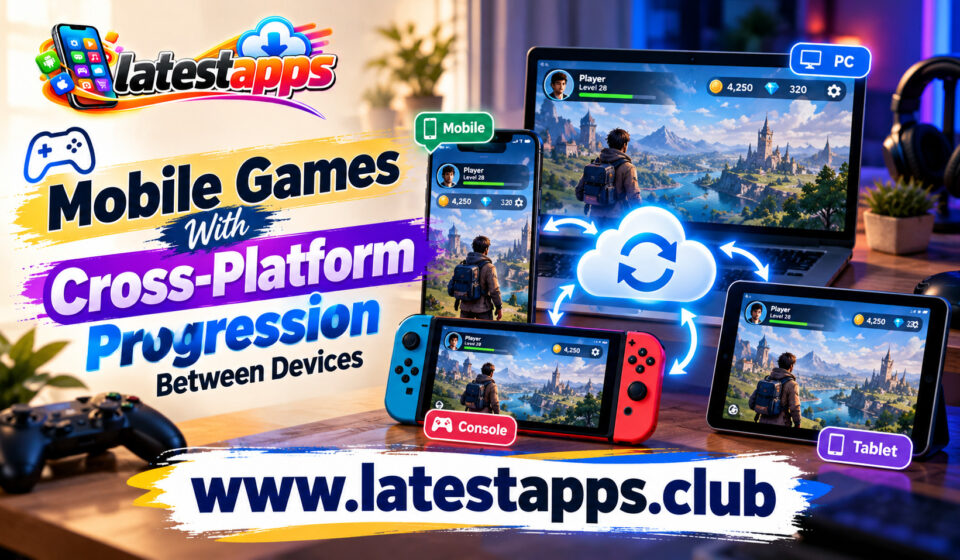
You might start a game on your smartphone during a commute, continue playing on a tablet at home, and switch to a computer when you want a bigger screen. However, moving between devices becomes frustrating when you have to repeat missions, unlock the same rewards, or rebuild your progress from the beginning. This is where cross-platform progression makes a real difference.
Modern Mobile Games increasingly offer ways to keep your progress connected across supported devices. Depending on the game, you can carry over your character level, unlocked items, achievements, campaign progress, and other saved data. Some games also support cross-platform multiplayer, allowing you to play with friends using different systems.
If you enjoy gaming throughout the day, cross-platform progression gives you more freedom to decide where and when you play. You do not have to depend on a single device to enjoy a continuous gaming experience. Instead, you can choose the screen that suits your situation without losing the progress you have already made.
What Is Cross-Platform Progression in Mobile Games?
Cross-platform progression allows you to access the same game progress across multiple supported devices or platforms. Your progress is usually connected to an account rather than being stored exclusively on one device.
For example, you might complete several missions on your Android phone and later open the same game on a supported PC version. After signing in to the same account, your saved progress may become available on the computer.
Depending on the title, cross-platform progression can include:
- Character levels and experience points.
- Completed missions and campaign chapters.
- Unlocked characters, weapons, and equipment.
- Purchased cosmetic items and other eligible content.
- In-game achievements and seasonal rewards.
- Multiplayer rankings and account statistics.
However, these features vary from one game to another. Some titles share nearly all important progress, while others synchronize only specific account information. You should also distinguish cross-platform progression from cross-platform play. Progression carries your saved data between platforms, whereas cross-platform play lets players on different systems play together.
Discover strategy games that reward smart planning.
1. Genshin Impact: Continue Your Adventure Across Devices
Genshin Impact is a strong example of a game designed around a persistent account and an expansive adventure. You explore a large fantasy world, complete quests, collect characters, and develop your team over time.
If you play on a supported Android or iOS device, you can also access your account through supported PC and PlayStation versions. By linking the appropriate accounts and using the same HoYoverse account, you can continue your adventure across supported platforms.
This makes the game convenient when your gaming habits change throughout the day. You can complete daily activities on your phone and continue exploring on a larger screen later.
Your Adventure Rank, character development, and much of your quest progress are associated with your account. Nevertheless, platform-specific purchases, account-linking requirements, and server selection can affect how your experience works.
If you enjoy open-world exploration and character collection, Genshin Impact offers a useful example of how mobile gaming can fit into a broader multi-device experience.
2. Fortnite: Keep Your Account Progress Connected
Fortnite combines battle royale action, creative experiences, and other game modes within a shared gaming ecosystem. Its account-based system makes it an appealing choice if you want to move between supported platforms.
When you link your eligible platforms to the same Epic Games account, many forms of progression, including eligible cosmetics and account-related content, can carry over. Certain progress and purchases may depend on the game mode, platform, and applicable restrictions.
Fortnite has supported mobile versions in eligible markets and on supported devices, alongside PC and console versions. However, mobile availability differs by region, operating system, and distribution method. You should check the official availability information before installing it.
The advantage becomes clear when you want to play a few matches on your phone but prefer a console or computer for longer sessions. You can keep using the same account instead of maintaining separate collections of unlocked content.
Remember that shared progression does not automatically mean every purchase, currency balance, or feature is identical across all platforms.
3. Minecraft: Take Your World Beyond One Device
Minecraft gives you a different kind of cross-device experience. Instead of focusing only on levels and competitive rankings, it lets you build structures, explore environments, collect resources, and create your own adventures.
The Bedrock Edition supports cross-platform multiplayer across several compatible devices, including mobile phones, Windows PCs, and consoles. With the appropriate Microsoft account, you can connect with friends across supported platforms.
However, accessing the same world on multiple devices requires more attention than simply signing in. Worlds saved locally on your phone do not automatically become available everywhere. You may need a compatible Realm, server, or another supported world-sharing arrangement.
This distinction matters if you spend hours constructing a detailed base or designing a creative project. Before changing devices, confirm that your world is stored somewhere you can access from the other platform.
Minecraft works especially well when you want flexibility without giving up the freedom to build at your own pace.
4. Call of Duty: Mobile and Call of Duty: Warzone
Call of Duty offers several ways to enjoy fast-paced shooting games, but you should understand the differences between its mobile and cross-platform experiences.
Call of Duty: Mobile is built primarily for mobile devices. It supports account-based progression within its own ecosystem, but you should not assume that your complete mobile progress transfers to the main console and PC Call of Duty titles.
Call of Duty: Warzone, by contrast, has offered cross-progression across supported versions connected through an Activision account. The exact progression shared with other Call of Duty titles depends on the game’s integration and current policies.
If you want to move between mobile and computer gaming, check the specific title rather than relying on the franchise name alone. Your account level, unlocked content, battle pass rewards, and purchases may follow different rules.
This is a useful reminder that cross-platform progression is a feature you need to verify for each individual game, not something every game from the same publisher automatically provides.
5. Honkai: Star Rail: Continue Your Story on Different Screens
Honkai: Star Rail is a turn-based role-playing game that combines character development, strategic combat, exploration, and a continuing story.
Its account-based progression supports play across compatible platforms, including Android, iOS, PC, and PlayStation. When you use the same HoYoverse account and select the appropriate server, you can continue your journey on supported devices.
This flexibility helps if you enjoy making progress in short sessions. You can complete daily tasks on your smartphone and return to story missions on a computer or console when you have more time.
Your account progression includes important elements such as character development, equipment, and story advancement. However, account linking, server selection, and platform-specific purchase arrangements still matter.
Honkai: Star Rail is worth considering if you prefer thoughtful battles and a story-driven experience rather than games that demand quick reactions throughout every match.
6. Roblox: Explore Experiences Across Compatible Devices
Roblox is a platform containing many different games and interactive experiences created by developers. You can move between supported devices while keeping the same Roblox account, which makes it convenient if you enjoy several experiences rather than concentrating on one game.
Depending on the experience, you may be able to access your account information, eligible purchases, and saved progress across mobile devices, computers, and consoles.
However, the developer controls many aspects of individual experiences. Some games save your progress to your account and synchronize it automatically, while others may have different saving systems or platform limitations.
Before investing significant time in a particular Roblox experience, check whether its progression system works across your preferred devices.
The platform is particularly useful when you want to explore different genres, including racing, simulation, role-playing, survival, and casual multiplayer games, without creating a separate account for every experience.
Benefits of Cross-Platform Progression for Mobile Gamers
Cross-platform progression offers more than the convenience of switching screens. It can change how you fit gaming into your everyday routine.
You Can Play According to Your Schedule
You may have only ten minutes available during a break but an entire evening free later. Mobile access lets you make smaller amounts of progress when you have limited time.
When your progress synchronizes properly, you can return to the same account on another supported device without repeating completed activities.
You Can Choose a More Comfortable Screen
A smartphone is convenient when you travel, but a computer monitor or television may provide a better experience for longer sessions. Moving between devices lets you choose the screen that works best for the activity.
For example, you might prefer a phone for quick daily tasks and a larger display for exploring detailed environments.
You Avoid Maintaining Separate Progress
Without synchronization, switching devices can mean managing multiple accounts, repeating missions, or losing access to unlocked items. Account-based progression reduces these problems when the game supports the feature properly.
You can spend more time enjoying the game instead of rebuilding your collection.
You Can Stay Connected With Friends
Some games combine cross-platform progression with cross-platform multiplayer. When both features are supported, you can maintain your account and play with friends who use different devices.
However, progression sharing and multiplayer compatibility are separate features, so check both before choosing a game for your group.
What Should You Check Before Switching Devices?
Cross-platform progression is convenient, but a few practical checks can save you from losing access to important content.
- Account linking: Confirm that your mobile account is connected to the correct publisher account before installing the game elsewhere.
- Server selection: Some games separate progress by region or server. Choosing a different server may make your existing progress appear missing.
- Supported platforms: Check which versions of the game share progress. A mobile edition may operate separately from its PC or console counterpart.
- Local saves: If the game stores data locally, create a supported backup or use an approved cloud-saving option before changing devices.
- Purchases and currency: Verify whether premium currency, paid content, and platform-specific purchases transfer between systems.
- Internet connection: Cloud synchronization generally requires an internet connection, so confirm that your latest progress has been saved before switching.
- Account security: Use a strong password and enable available security protections to safeguard your game account.
You should also avoid assuming that deleting a game from your phone is harmless. If some data exists only in local storage, uninstalling it before confirming a backup could remove your saved progress.
How to Choose the Right Cross-Platform Mobile Game
The best choice depends on what you want from your gaming experience.
If you enjoy open worlds and character collection, Genshin Impact may suit you. For turn-based combat and story progression, Honkai: Star Rail is worth exploring. Minecraft is a better fit if you want creative freedom, while Fortnite appeals to players who enjoy competitive action and shared cosmetic collections.
Roblox is useful when you want access to many different experiences through one account.
Before deciding, ask yourself three questions. First, which devices do you regularly use? Second, what type of progress matters most to you? Third, does the game synchronize that progress across every device you intend to use?
These questions help you avoid choosing a game based on a feature that its particular version does not support.
Conclusion
Cross-platform progression makes Mobile Games more flexible by allowing you to continue playing across compatible devices without constantly starting over. Whether you enjoy open-world adventures, creative building, competitive matches, or story-driven role-playing, account-based progression can make your gaming sessions feel more connected.
However, every title handles synchronization differently. Some share most of your progress, while others restrict certain purchases, saves, or features to particular platforms.
Before switching devices, verify account linking, server settings, cloud saves, and supported versions. Once you understand these requirements, you can enjoy your favourite games on the device that best suits your schedule, location, and playing style.
Frequently Asked Questions
1. What does cross-platform progression mean in mobile games?
It allows you to access compatible saved progress, unlocked content, or account information across multiple supported devices.
2. Are cross-platform progression and cross-platform play the same?
No, cross-platform progression shares game progress between devices, while cross-platform play allows players on different systems to play together.
3. Can you transfer mobile game progress to a PC?
Yes, some games support this through a linked publisher account, but compatibility depends on the specific title and its platform policies.
4. Does cross-platform progression transfer every purchase?
No, premium currency, downloadable content, and platform-specific purchases may have separate restrictions.
5. How can you protect your progress when changing devices?
Link the correct account, confirm that cloud synchronization has completed, check server settings, and back up any locally stored saves using supported methods.