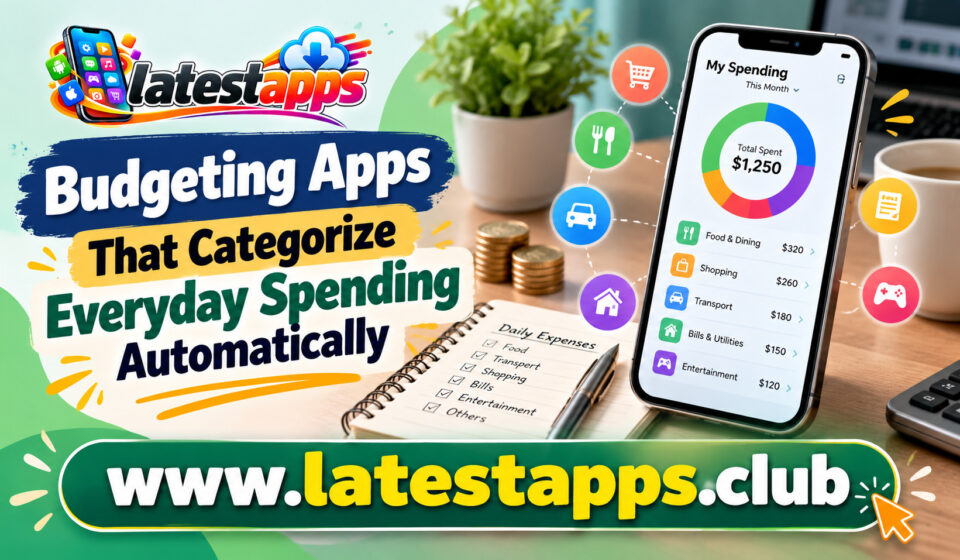

Managing your money becomes easier when you know exactly where it goes. However, tracking every coffee, grocery purchase, online subscription, and fuel payment can quickly become tiring. If you rely on manual spreadsheets or handwritten notes, you may forget transactions or stop updating your records after a few days. This is where Budgeting Apps that categorize everyday spending automatically can make a real difference.
Depending on the app, your transactions may be organized into categories such as groceries, transportation, shopping, entertainment, bills, and dining. You can then review your expenses, identify unnecessary purchases, and decide how to use your money more carefully.
Whether you want to control daily expenses, save for a major purchase, or avoid spending more than you earn, automatic categorization can simplify your financial routine. The key is choosing an app that matches your needs, supports your financial accounts, and offers clear information about your spending.
What Are Budgeting Apps With Automatic Categorization?
Budgeting apps are digital tools that help you monitor income, track expenses, organize financial transactions, and manage spending limits. Apps with automatic categorization go a step further by sorting transactions into different spending groups.
For example, imagine you purchase groceries on Monday, pay for a streaming subscription on Wednesday, and order dinner on Friday. Instead of recording each transaction manually, an app may identify the merchants and assign the purchases to groceries, subscriptions, and dining categories.
Some apps require a connection to your bank account or supported financial institution. Others allow you to import transaction files or enter expenses manually. The available features depend on the platform, country, and subscription plan.
How Automatic Expense Categorization Works
Automatic categorization usually begins when an app receives transaction information from a connected bank account, card, or imported financial record.
The app examines details such as the merchant name, transaction description, and payment amount. It then uses predefined rules, transaction history, or automated classification systems to assign the purchase to a suitable category.
For example, a payment to a supermarket might appear under groceries, while a monthly payment to a video streaming service could appear under subscriptions.
However, automated categorization is not always accurate. A large retail store might sell groceries, clothing, household supplies, and electronics. The app may recognize the merchant but cannot always determine what you purchased.
Therefore, you should review unfamiliar transactions and correct categories when necessary. Many apps can use your corrections to improve future categorization, although the exact behavior varies by platform.
The main advantage is that you spend less time organizing transactions while retaining control over your financial records.
Best Budgeting Apps to Consider
Several established apps offer expense tracking, budgeting features, or automatic transaction categorization. Your options will depend on your country, preferred payment methods, and willingness to pay for additional features.
1. Wallet by BudgetBakers
Wallet by BudgetBakers helps you organize expenses, review financial reports, and manage budgets. Depending on your region, financial institution, and plan, it can connect to supported bank accounts and import transactions.
You can use spending categories to understand how much you allocate to food, transport, shopping, utilities, and other everyday needs.
The app may suit you if you want a detailed view of your finances rather than a simple list of purchases. However, check bank synchronization availability before choosing it, especially if you use an Indian bank account.
2. Money Manager Expense & Budget
Money Manager Expense & Budget is useful if you prefer a more hands-on approach to tracking your money. It offers expense records, categories, budget management, and financial summaries.
Depending on the version and available integrations, you may need to enter transactions yourself instead of relying entirely on automatic bank synchronization.
This makes it a practical option if you want greater control over your records or prefer not to connect your primary bank account to a budgeting service.
3. Goodbudget
Goodbudget uses the envelope budgeting method, which divides your available money into spending categories. You can create envelopes for groceries, transport, entertainment, rent, and savings.
Instead of automatically handling every transaction through bank synchronization, its core approach encourages you to plan how much money you can spend in each category.
4. YNAB (You Need A Budget)
YNAB focuses on giving every unit of your available money a specific purpose. You assign funds to expenses, savings, debt payments, and other financial priorities.
The platform supports transaction imports and offers tools to help you compare planned spending with actual activity, although the availability of direct bank connections depends on your financial institution and region.
YNAB can be helpful if you want to build a structured budgeting routine instead of simply reviewing expenses after spending them. Its subscription cost and learning curve are worth considering before you sign up.
5. PocketGuard
PocketGuard helps users review spending, monitor bills, and understand how much money may remain available after accounting for financial commitments.
Its features can be useful when you want a quick overview of your spending rather than analyzing every transaction in detail. However, supported countries, financial institutions, and features may vary.
Before choosing PocketGuard, confirm that it supports your location and payment accounts. If you mainly use Indian bank accounts, an app with suitable local compatibility may be more practical.
Important: App features, pricing, and bank integrations can change. Check each provider’s current official information before connecting your accounts or paying for a subscription.
Benefits of Automatic Spending Tracking
Automatic categorization can improve your financial routine in several ways.
1. You Save Time
Manually recording every transaction requires regular effort. Automatic categorization reduces repetitive work, allowing you to focus on reviewing your spending instead.
You may still need to correct mistakes or record cash purchases, but the overall process can become much easier.
2. You Understand Your Spending Habits
Small purchases can add up without attracting much attention. A coffee here, a delivery order there, and several online purchases may create a surprisingly large monthly total.
When your expenses appear in clear categories, you can identify these patterns and decide where adjustments would be most useful.
3. You Can Build More Realistic Budgets
A budget works best when it reflects your actual lifestyle. Spending reports help you estimate how much you need for groceries, transportation, utilities, and personal expenses.
Instead of setting unrealistic limits, you can use previous transactions to establish practical spending targets.
4. You Can Identify Unnecessary Expenses
Subscription payments, frequent delivery orders, and impulse purchases may be easier to recognize when they appear together in a monthly report.
You can then decide which expenses provide genuine value and which ones you would prefer to reduce.
5. You Can Track Progress Toward Financial Goals
Whether you are saving for a holiday, building an emergency fund, or preparing for a major purchase, spending reports can help you identify money that could be redirected toward your goal.
Automatic tracking does not create savings on its own, but it gives you better information for making financial decisions.
Features to Look for in a Budgeting App
Before selecting an app, compare its features with your financial habits and priorities.
- Automatic categorization: Choose an app that identifies common purchases and allows you to correct incorrect categories.
- Bank compatibility: Confirm that it supports your country, bank, and payment accounts before subscribing.
- Custom categories: Look for options that let you separate essential spending from personal purchases or business expenses.
- Monthly spending reports: Clear summaries and charts help you understand where your money goes.
- Budget limits and alerts: Notifications can help you recognize when spending approaches a category’s limit.
- Recurring expense tracking: Identifying subscriptions and regular bills makes it easier to plan upcoming payments.
- Data security: Review the provider’s privacy policy, security practices, account permissions, and data deletion options.
- Reasonable pricing: Compare free features with paid plans and avoid paying for tools you are unlikely to use.
You should also check whether the app supports manual transactions. This is particularly useful when you pay in cash or use payment methods that do not synchronize with the service.
How to Use Budgeting Apps More Effectively
Choosing an app is only the first step. You also need a simple routine that turns transaction data into useful decisions.
Start by reviewing your current expenses. Connect a supported account if you are comfortable doing so, or enter your transactions manually. Review recent activity to understand your existing habits.
Create categories that reflect your lifestyle. Start with groceries, housing, utilities, transportation, healthcare, subscriptions, dining, shopping, and savings. You can add more categories when necessary.
Set realistic limits. Use your income, regular commitments, and previous spending to establish suitable targets. Avoid setting extremely low limits that are difficult to maintain.
Review automatic categories regularly. Correct misplaced transactions and check that recurring payments appear in the right groups. This helps keep your reports meaningful.
Check your spending once a week. A short review can help you spot overspending before the end of the month. You do not need to analyze every transaction every day.
Adjust your budget when circumstances change. Higher utility bills, travel plans, or unexpected expenses may require temporary changes to your limits. Your budget should support your life rather than make everyday decisions unnecessarily difficult.
Finally, use the information to take action. If your dining expenses consistently exceed your target, for example, consider planning meals in advance or setting a weekly restaurant budget.
Common Mistakes to Avoid
Even useful budgeting apps cannot guarantee good financial decisions. You should avoid several common mistakes.
First, do not assume every transaction has been categorized correctly. Review purchases that appear unusual, particularly payments from large retailers or merchants that offer several types of products.
Second, do not ignore cash spending. If your app only tracks connected accounts, cash purchases may be missing from your reports. Add them manually when needed.
Third, avoid creating too many categories. Excessive detail can make your budget difficult to maintain. Start with broad groups and add more only when the extra information helps you make better decisions.
Finally, do not connect financial accounts without checking how the app handles your data. Use reputable providers, secure your account with available authentication protections, and understand what information you are sharing.
Best Apps for Plant Identification
Conclusion
Budgeting Apps that categorize everyday spending automatically can help you understand your financial habits without the burden of recording every purchase manually. By organizing transactions into clear categories, these tools make it easier to monitor expenses, create realistic budgets, identify unnecessary costs, and work toward savings goals.
The right choice depends on your priorities. Wallet may appeal to you if you want detailed spending reports, Money Manager may suit a more manual approach, and YNAB or Goodbudget may be useful if you prefer structured budgeting methods.
Before committing, check pricing, account compatibility, privacy practices, and the level of automation available in your region. Once you choose a suitable app, review your categories regularly and use the information to make practical changes. With consistent effort, you can turn everyday spending data into a clearer and more manageable financial plan.
Frequently Asked Questions
1. What are budgeting apps that categorize spending automatically?
They are financial tools that organize transactions into categories such as groceries, bills, shopping, transport, and entertainment.
2. Can budgeting apps track expenses without manual entry?
Yes, some apps can import transactions from supported bank accounts or financial services, although availability depends on your institution and location.
3. Are automatic budgeting apps accurate?
They can categorize many transactions correctly, but you should review and correct purchases that appear in the wrong category.
4. Are budgeting apps safe to use?
They can be useful when you choose a reputable provider, review its security and privacy practices, and understand the permissions you grant.
5. Which budgeting app should you choose?
Choose an app that supports your financial accounts, provides useful spending reports, fits your budget, and offers the level of automation you need.